
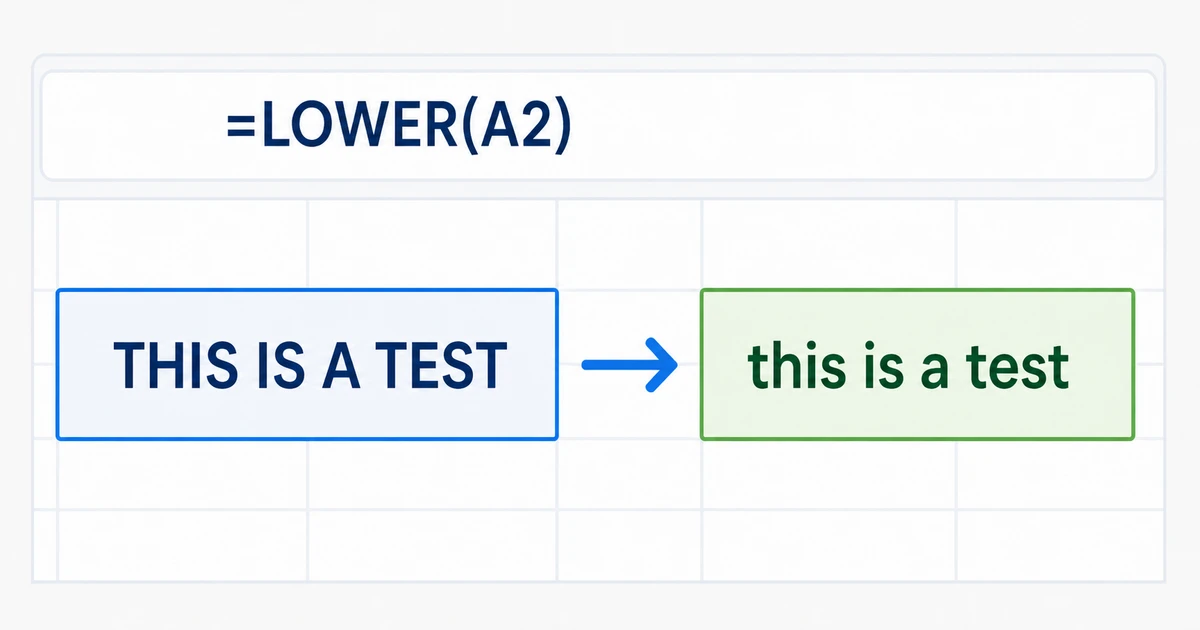
If text in an Excel worksheet is written in ALL CAPS, you do not need to retype it. The LOWER function changes uppercase letters to lowercase in a new cell, and you can fill the formula down an entire column.
This guide shows how to use =LOWER(A2), replace the original Excel values safely, and answer the common shortcut question. It also covers Microsoft Word's Change Case command and Shift+F3 shortcut, plus a browser-based option for text that is not already in a document or spreadsheet.
Excel lowercase example:
Use the Excel LOWER Formula
To convert the text in cell A2 while keeping the original value:
- Select an empty cell, such as B2, next to the uppercase text.
- Enter =LOWER(A2) and press Enter. Replace A2 if your source text is in a different cell.
- Excel returns a lowercase version in B2 while leaving the original text in A2 unchanged.
- Drag or double-click the fill handle to apply the formula to the remaining rows.
- Check the results before replacing or removing the source data.
Convert an Entire Excel Column and Replace the Original Values
The LOWER formula creates results in a helper column. To replace the original all-caps cells:
- Enter =LOWER(A2) in the first row of an empty column.
- Fill the formula down through every row that contains text.
- Copy the completed lowercase results.
- Use Paste Special > Values over the original column so the pasted text no longer depends on formulas.
- Verify the pasted values, then remove the temporary helper column if it is no longer needed.
Is There a Lowercase Shortcut in Excel?
Excel does not use Word's Shift+F3 shortcut to change the case of text stored in cells. For worksheet data, use =LOWER(A2), fill the formula down, and paste the results as values if you need to replace the original cells.
How to Change Case in Microsoft Word
- Select the text whose capitalization you want to change.
- On the Home tab, open Change Case in the Font group and choose lowercase.
- For a keyboard shortcut, press Shift+F3 until the selected text appears in the case you want.
- On some Mac keyboards, use fn+Shift+F3.
- Word for the web does not support changing case. Open the document in the desktop app or use an online alternative.
Word changes selected text directly; Excel uses a formula so you can verify the result before replacing the original values.
When to Use Excel, Word, or the Online Converter
Choose the method that matches where your text is stored:
- Use Excel's LOWER function for text organized in cells, rows, or columns.
- Use Word's Change Case command or Shift+F3 when the text is already in a desktop document.
- Use the online converter for copied text from PDFs, emails, websites, or applications that do not provide a case-changing command.
Frequently Asked Questions
1.What is the lowercase formula in Excel?
Use =LOWER(A2), replacing A2 with the cell that contains the text you want to change. Excel returns the lowercase result in the formula cell.
2.How do I change an entire Excel column to lowercase?
Enter the LOWER formula beside the first source cell, then drag or double-click the fill handle to copy the formula down the column.
3.How do I replace the original all-caps cells?
Copy the completed lowercase results and use Paste Special > Values over the original cells. Verify the values before deleting the helper column.
4.Is there a shortcut to change uppercase to lowercase in Excel?
Excel does not use Word's Shift+F3 case-changing shortcut for cell text. Use the LOWER function, then paste the results as values if required.
5.What is the lowercase shortcut in Microsoft Word?
Select the text and press Shift+F3 until lowercase appears. On some Mac keyboards, press fn+Shift+F3.
6.Can I change case in Word for the web?
Word for the web does not support changing case. Open the document in the desktop app, change the text manually, or use an online converter.
Choose the Right Lowercase Method
Use Excel's LOWER formula for worksheet data and Word's Change Case command for desktop documents. For copied text that is not tied to either application, the online converter provides a quick browser-based alternative without changing the article's Excel-first focus.